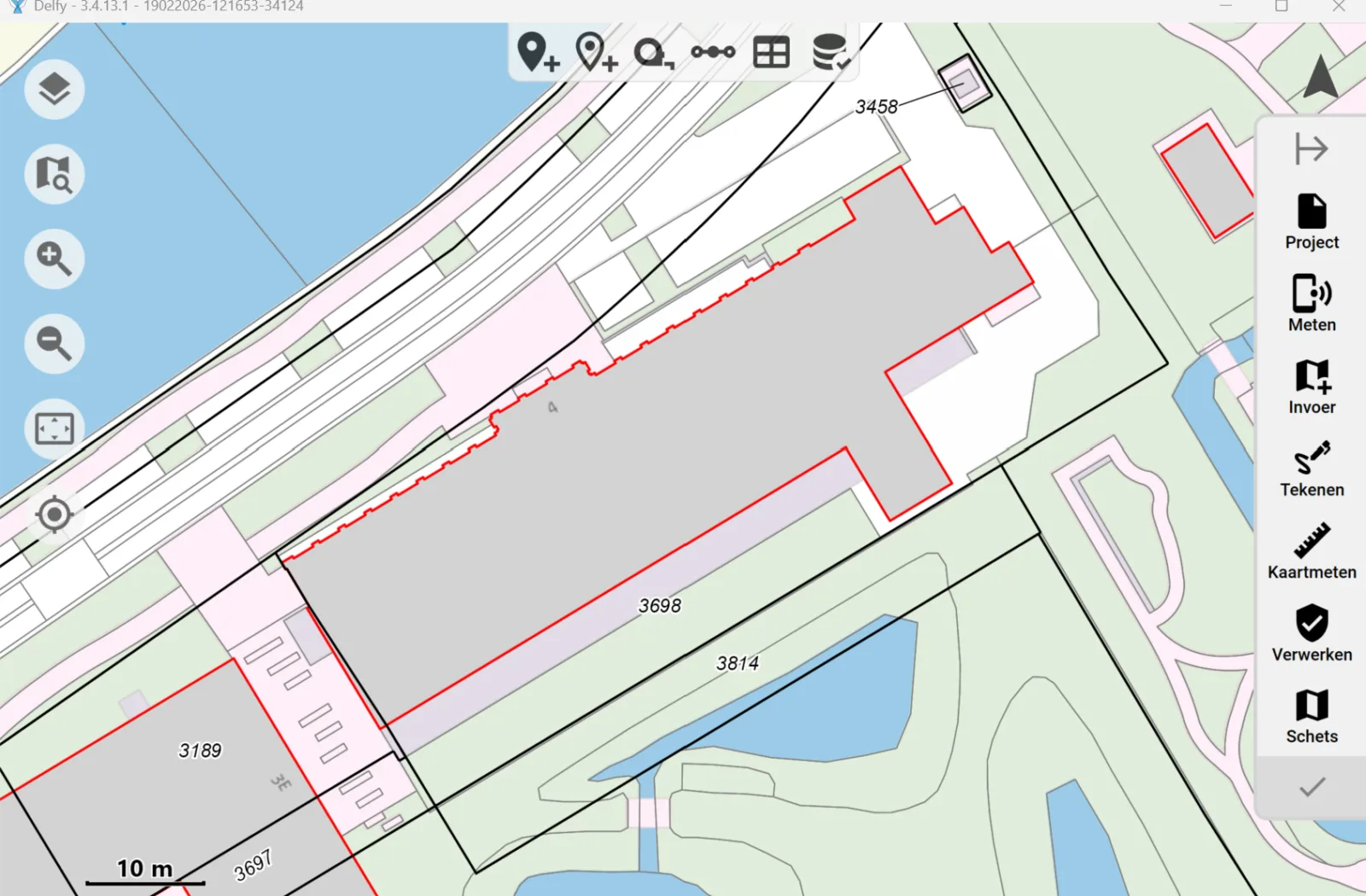
The new Delfy version 3.4.15 will be available soon, with a number of new features and improvements.
Easily exclude points and geometric relationships from adjustment
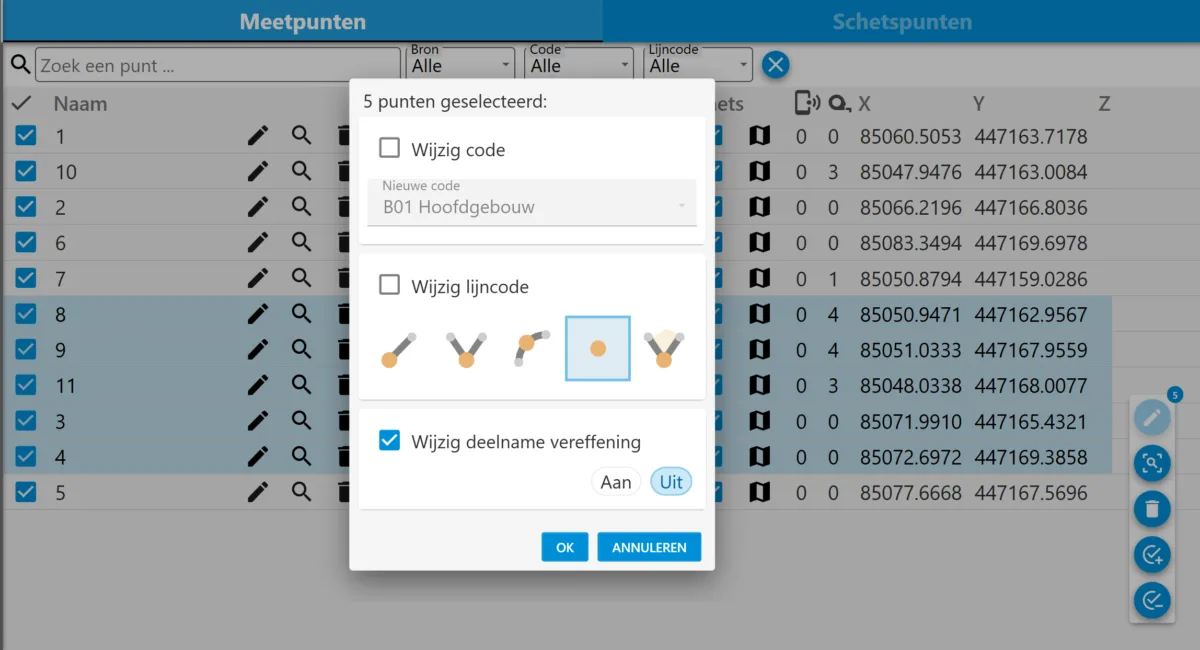
When the checkmark for a measurement point is off in the table, it is not included with the adjustment. It is now possible to turn this on and off for multiple points simultaneously. You can select multiple points by clicking with the CTRL key on multiple lines. You can also hold down the left mouse button on a line and drag it down to select multiple lines below each other.
You can then click on the plus check mark, or the minus check mark, to include or exclude them all simultaneously in the adjustment. This function is also available in the geometric relations table.
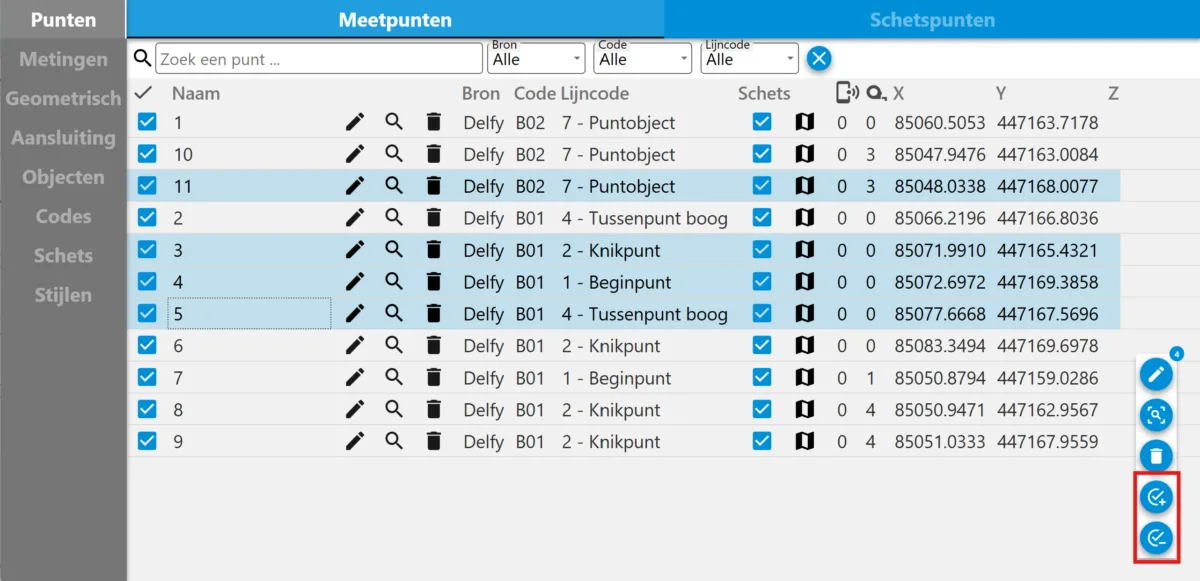
This can also be done by clicking on the pencil, after which there is a choice in the popup screen to change the participation in the adjustment:
Drawing arcs
There are 4 options to draw arcs:
- Drawing free arc with 3 points
- Joining lines together with an arc
- Draw a circle by selecting the center and a point on the circle
- Draw circle by selecting 3 points on the circle
You can select the line style using the outline buttons. The selected line style is also displayed above the arc draw buttons.
Backup restore functionality
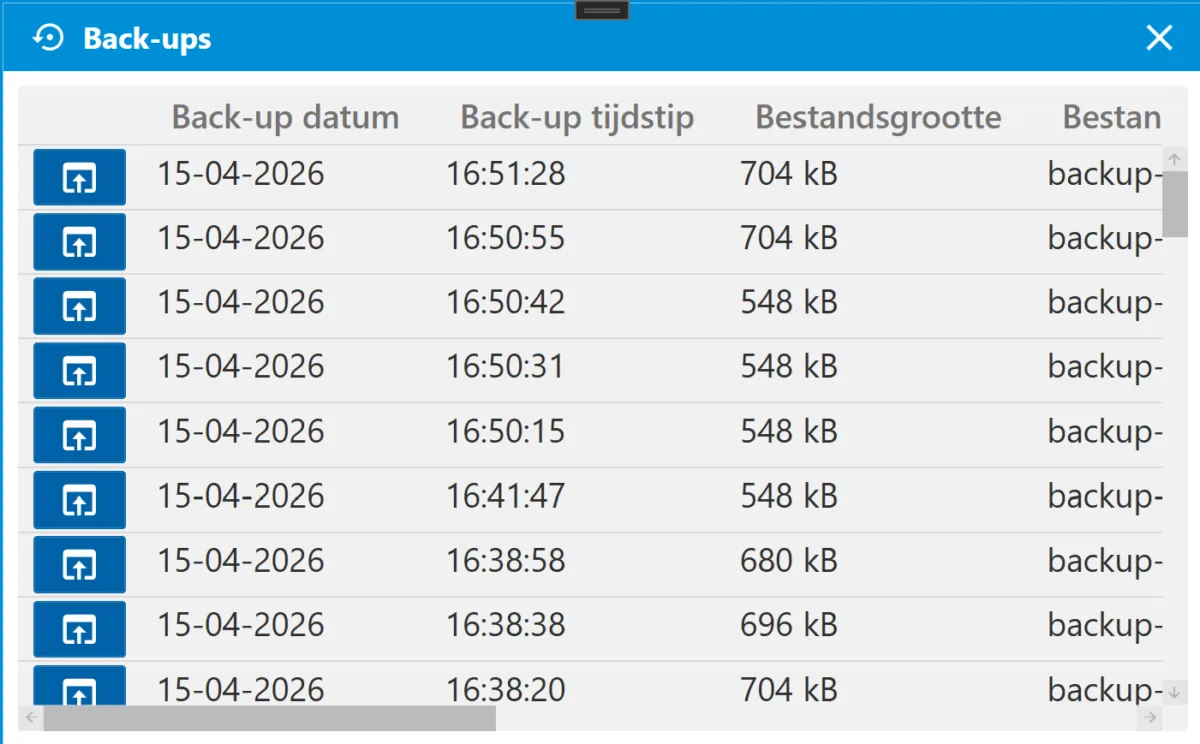
Through the Backups option in the project menu, you can easily restore an earlier version of your project.
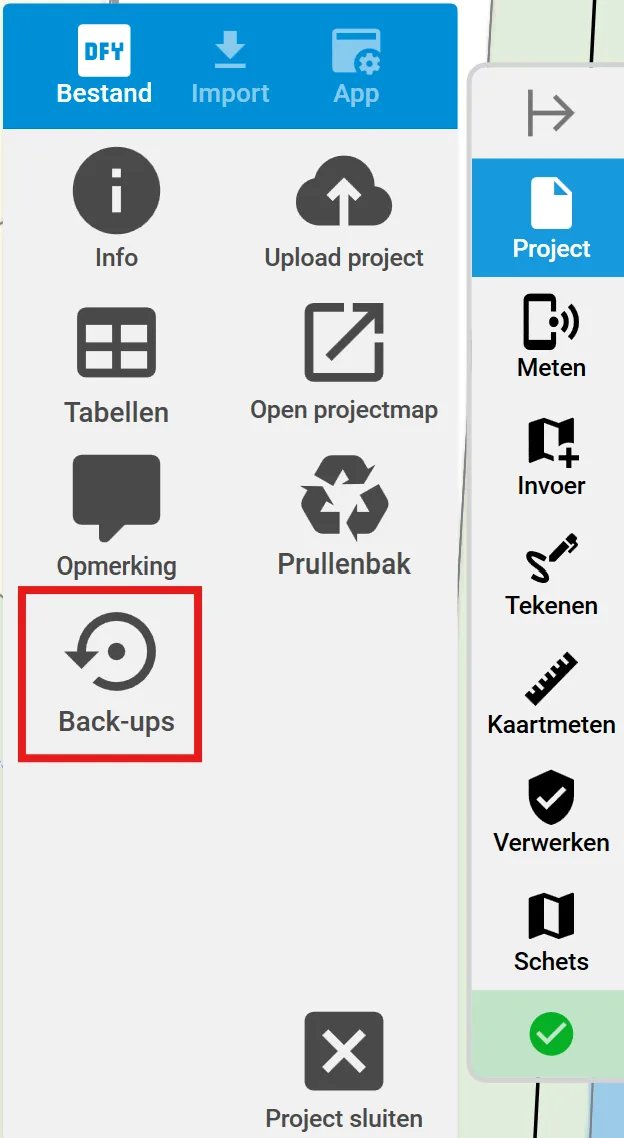
When clicked, a list of different backup versions of your file stored on your current device will appear. Clicking the download button at the beginning of a line will open that version of the file.
Multi parallelism
It is now possible to add parallelism with a long line, instead of single line segments, by using the already existing COGO 'Parallel line' with a right click.
Display of absolute error for free pitch
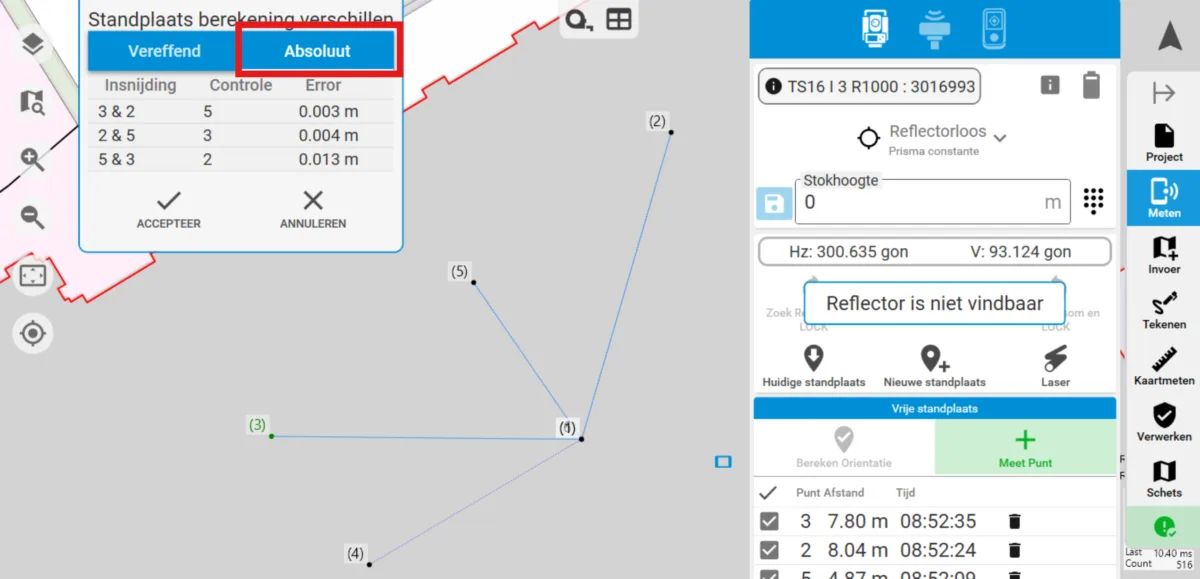
For a free pitch calculation, an absolute error is now displayed in addition to the adjusted pitch error.
The absolute error is calculated by creating a pitch with an indentation with two points. This pitch is checked with a third point, whose error you see.
The absolute error is almost always larger than the adjustment error, and can give an additional indication of the quality of the pitch. For now, Delfy defaults to the adjusted pitch calculation, as this gives a better estimate.
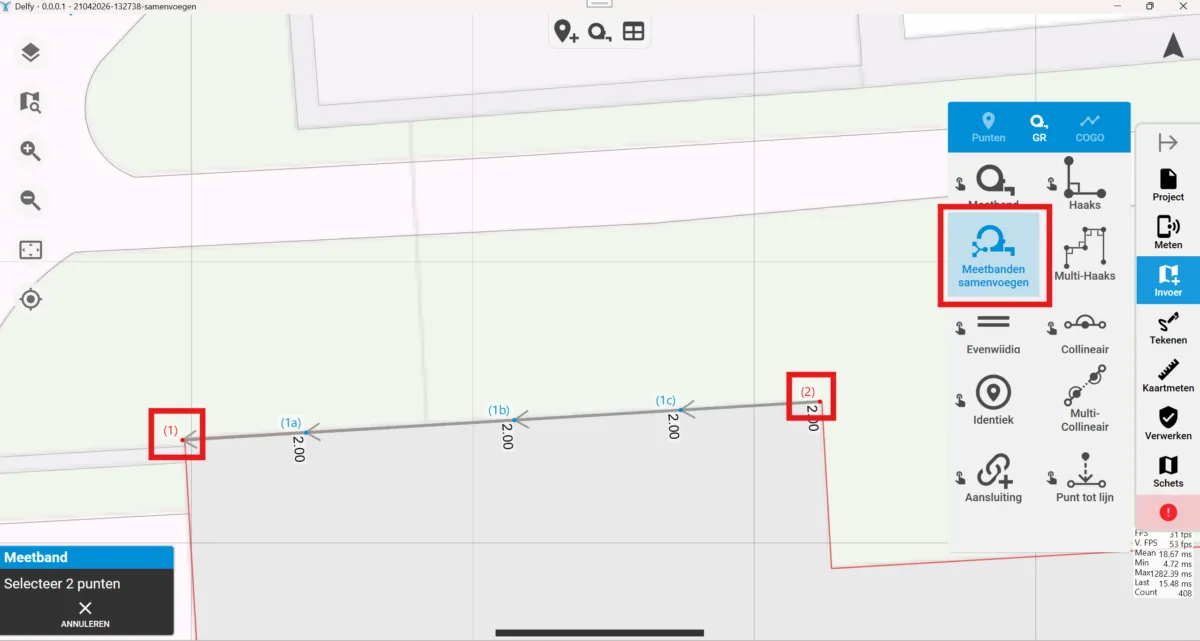
Merge tape measures
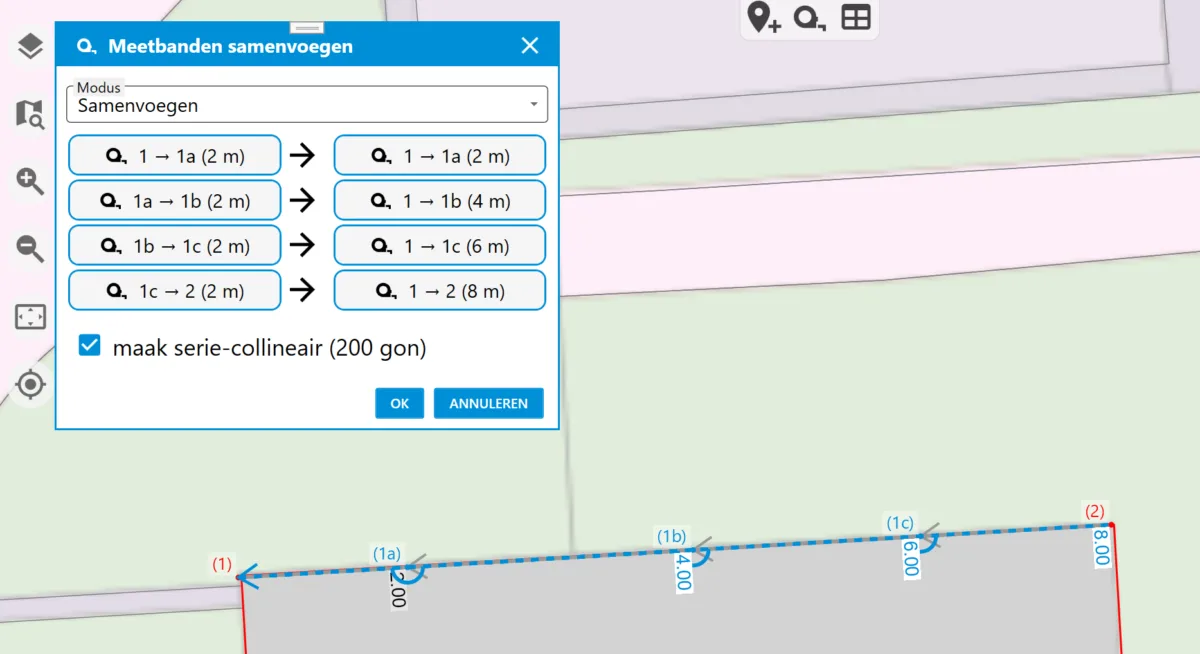
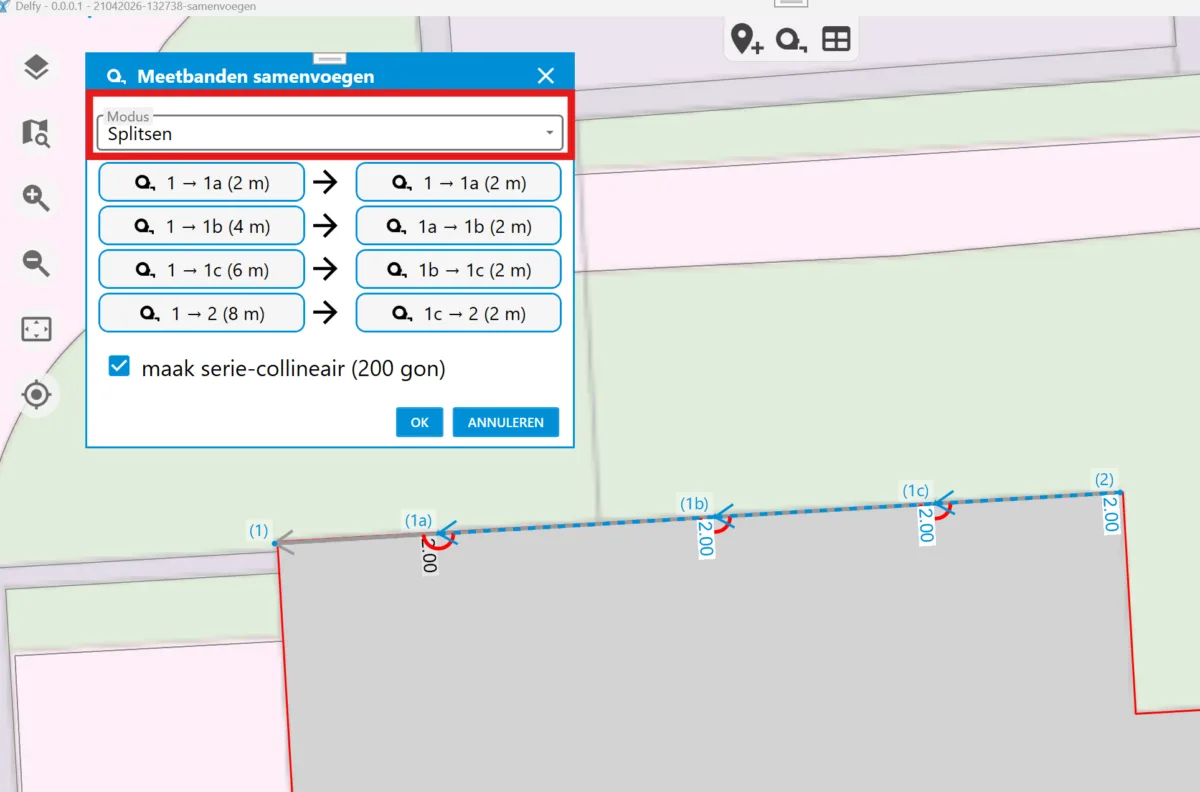
Under the Input submenu a function has been added to merge tape measures into a cumulative distance. In the same menu, measuring tapes can also be broken down again into their individual distances. There is also the ability to immediately add collinearity when merging or splitting.
To merge measurement bands, select the first and last point of all measurement bands on a line. Then a pop-up appears with the proposed changes.


Measurement type reference
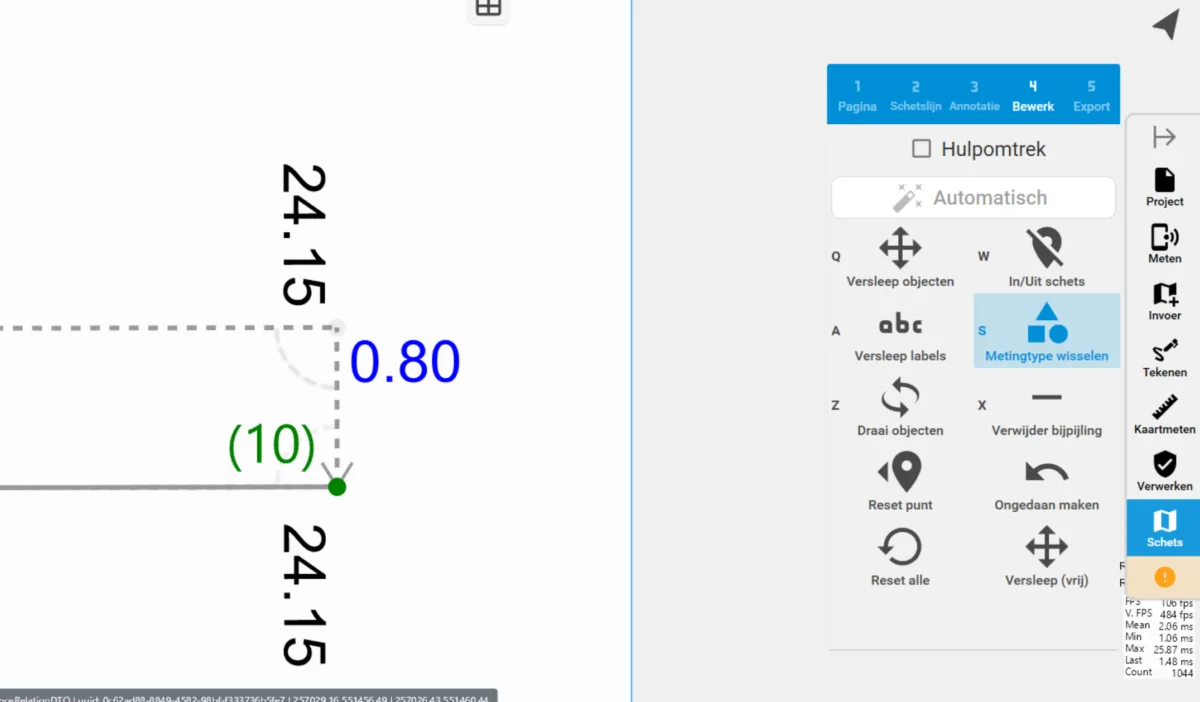
In addition to the known measurement types specified and calculated, measurement type reference is now also available in Delfy. With a reference, the measurement text is blue. It is easy to switch between the different measurement types by using the 'Change measurement type' button in the sketch menu, under 'Edit'.
Annotation on multiple lines
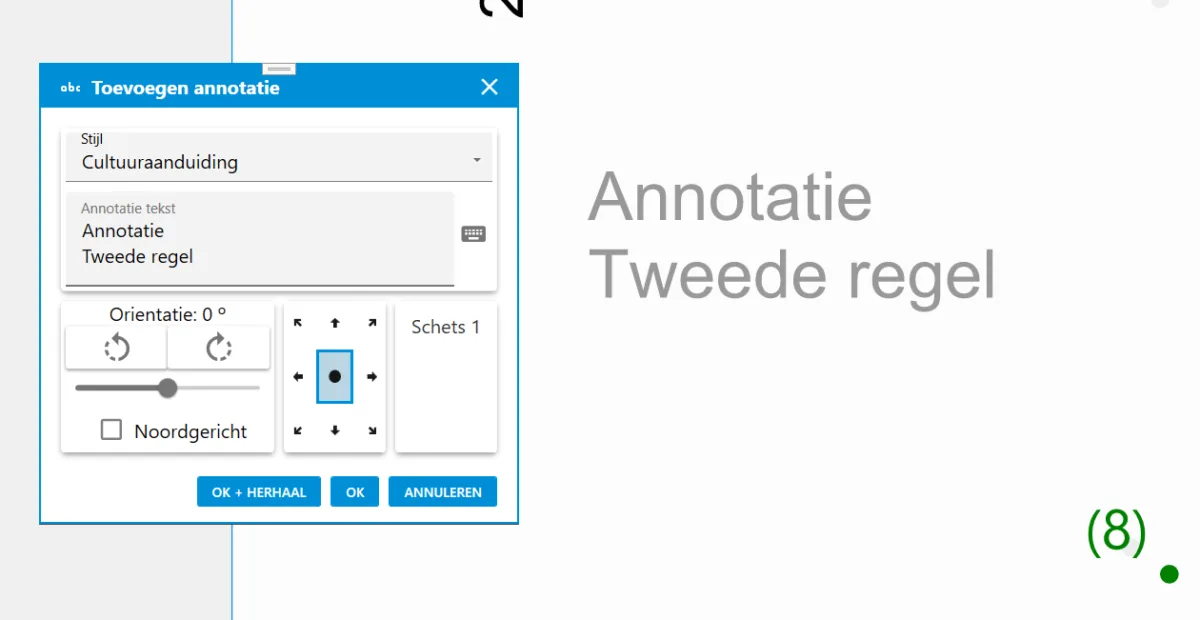
When adding an annotation, Shift+Enter can be used to add multiple lines of text to an annotation.
Set search distance for points around your measurement
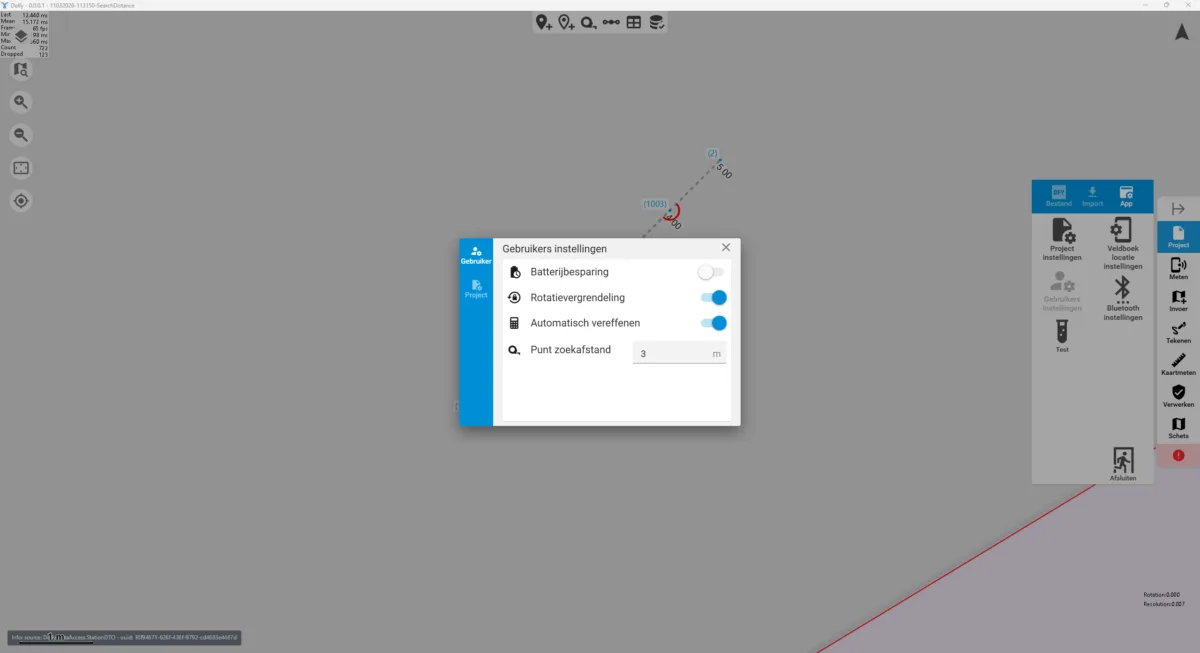
While measuring, until previously the first three points within two meters of your measured point were recommended. The maximum distance for this recommendation is now adjustable.
Various bug fixes, performance improvements and other updates
General:
- Text fields now get focus automatically, so you can start typing right away.
- Automatic checks are now shown in a separate window, so you can easily use them alongside the map.
- It is now easier to use the Merge feature for points that are on top of each other. Both points are selected when you click on them, instead of just the top one.
- When you start Delfy, you can switch accounts by clicking 'Other User' instead of 'Log In'.
- Using the 'Update Style' button is no longer necessary after updating Delfy.
Measurement:
- The Measure button has been moved to the edge of the screen for all measurement actions.
- If a pitch is not yet calculated but already has multiple measurements, a pop-up will first appear asking if you want to abort the current pitch calculation.
- There is more space around the closest points of a measurement to avoid clicking a wrong one.
- If you cancel adding a new point during a measurement, you can still perform another action with that same measurement afterwards.
- Measurements can be deleted by right-clicking in the map on a point.
Table:
- When a table contains no elements, this is now evident by the text "The table is empty.
- The number of measurements and geometric relationships associated with a measurement point is now visible in the measurement points table.
- Measurement band size and parallelism are now rounded to 3 instead of 2 decimal places in the table.
Drawing and Sketch:
- When exporting the PDF, a merged PDF can now also be exported, instead of just the individual pages.
- For a copied house number, an oval is now shown instead of a circle when it is a long house number.
- Line annotations are now added by default where the line is clicked, instead of in the middle.
- Fixed problems with importing objects from the BGT.
- When adding icons, the selected icon and associated text are remembered from the previous one.
- The icon "Kadaster stone" can now also be added in black & blue.
- When creating a line annotation, "Heg" is now shown instead of "Haag".
Typos and textual changes:
- LCI code list (V01 paved = pavement).
- Streeview = streetview
- iron.bs. = iron bs